Bug #77
closedBug #75: Inconsistent Editor Toolbar Between Create and Edit Event ID
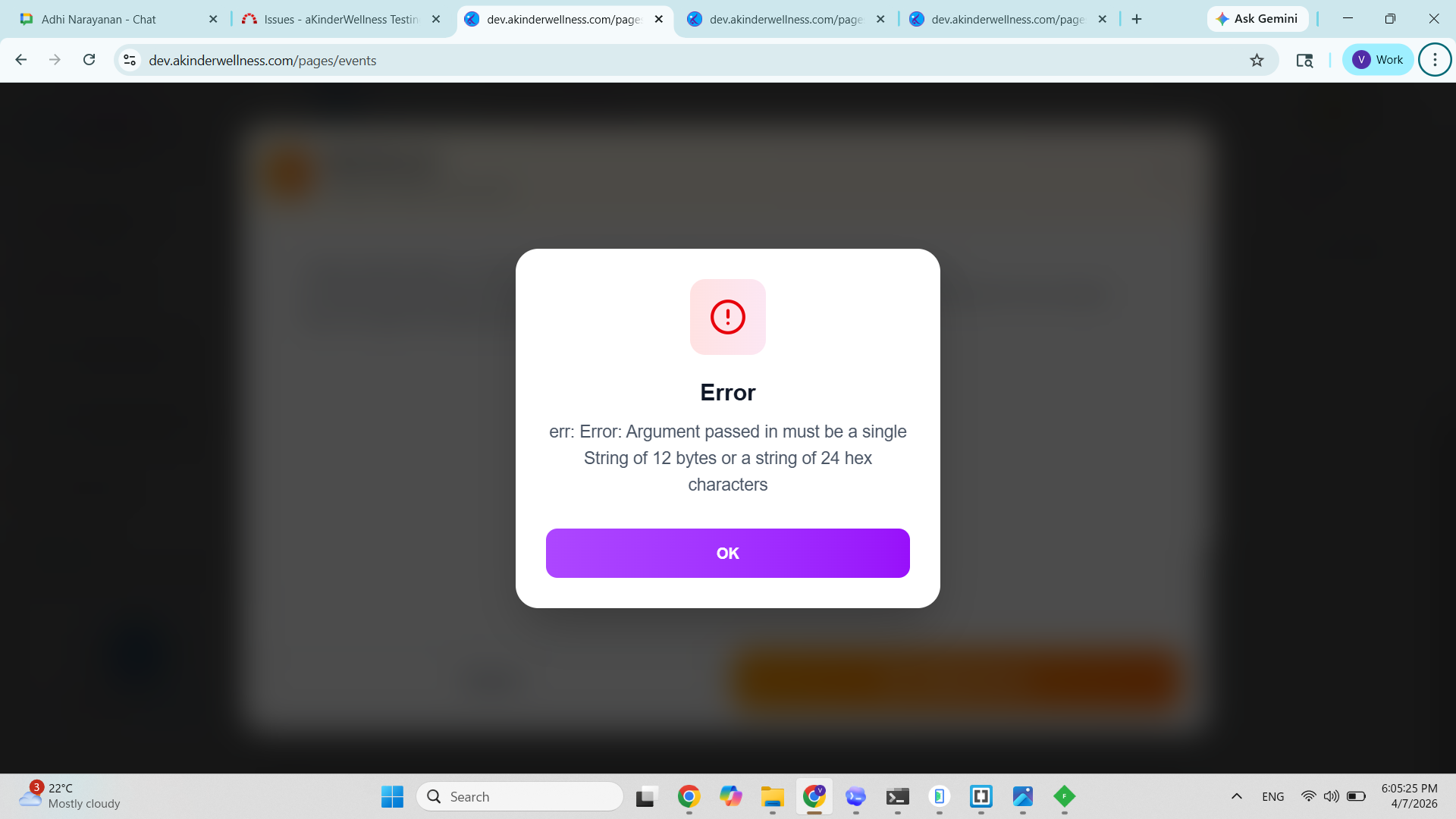
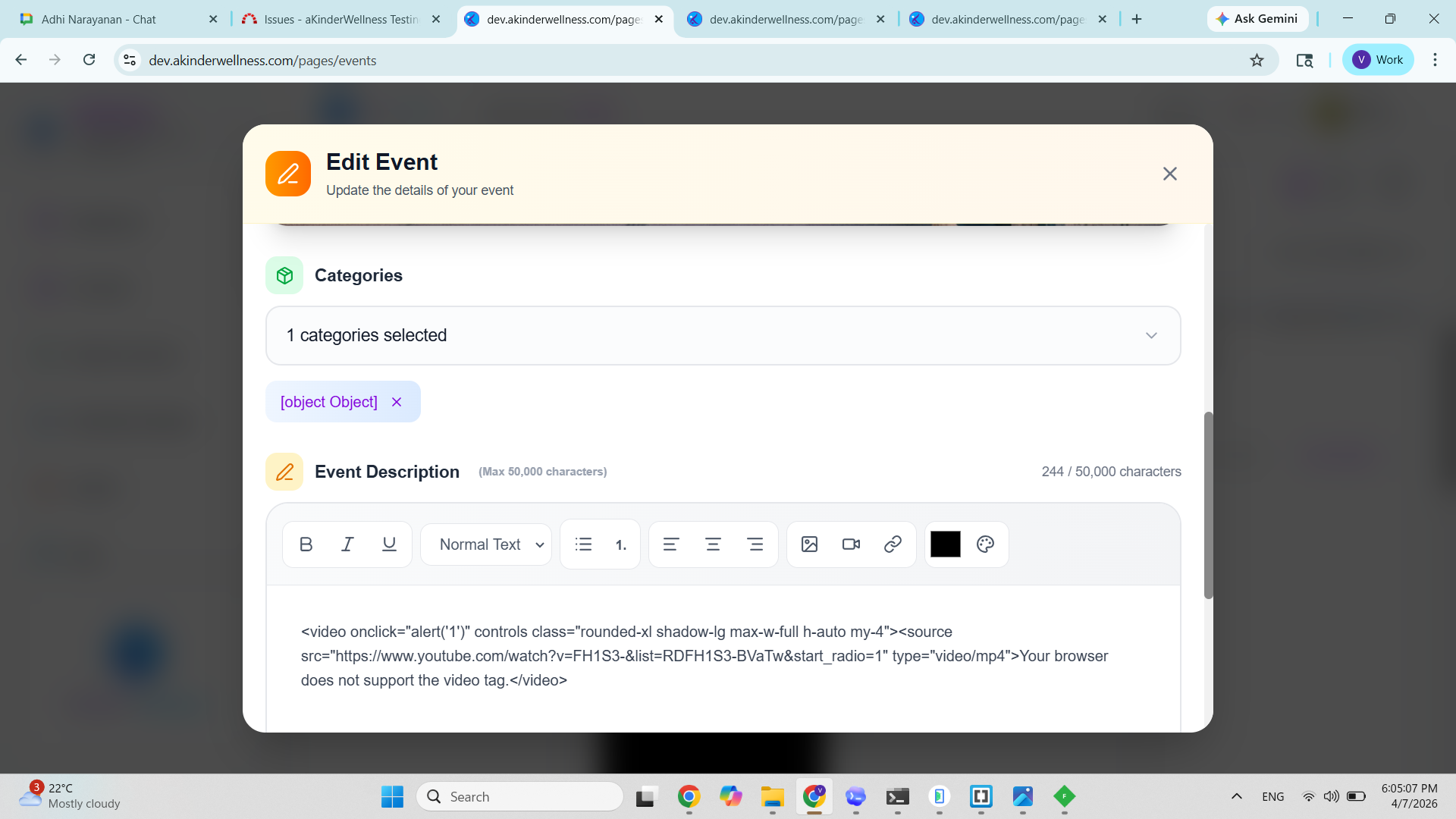
Category displays as [object Object] and causes failure while updating event (Web)
100%
Description
While editing an event, the Categories selection UI displays incorrect data and leads to a failure on submission.
Instead of showing the selected category name, the UI displays: [object Object]
Additionally, attempting to update the event results in an error popup, indicating improper data handling during submission.
Steps To Reproduce:
- Open Events page
- Click on any existing event → Edit Event
- Observe the Categories section
- Select or keep an existing category
- Click Update Event
ACTUAL RESULT
Selected category is displayed as: [object Object] instead of readable name
UI does not properly represent selected category
On clicking update: Loader appears (“Updating…”)
Error popup is shown: Argument passed in must be a single String of 12 bytes or a string of 24 hex characters
Expected Result
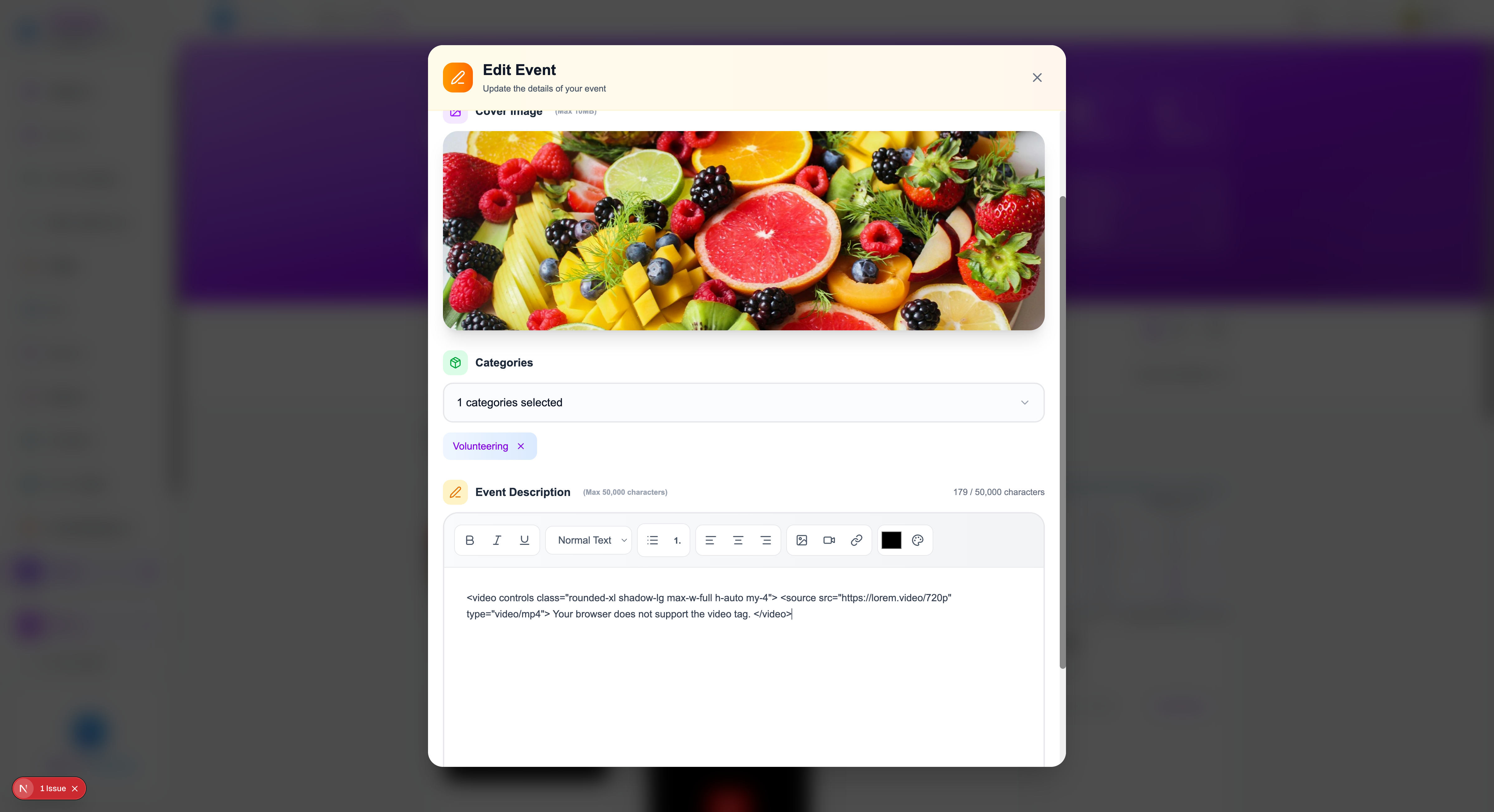
Selected category should display: Proper category name (e.g., “Volunteering”)
UI should handle category selection consistently
Update action should complete successfully without errors
Data passed from UI should be in correct format for processing
Files