Bug #77
closedBug #75: Inconsistent Editor Toolbar Between Create and Edit Event ID
Category displays as [object Object] and causes failure while updating event (Web)
100%
Description
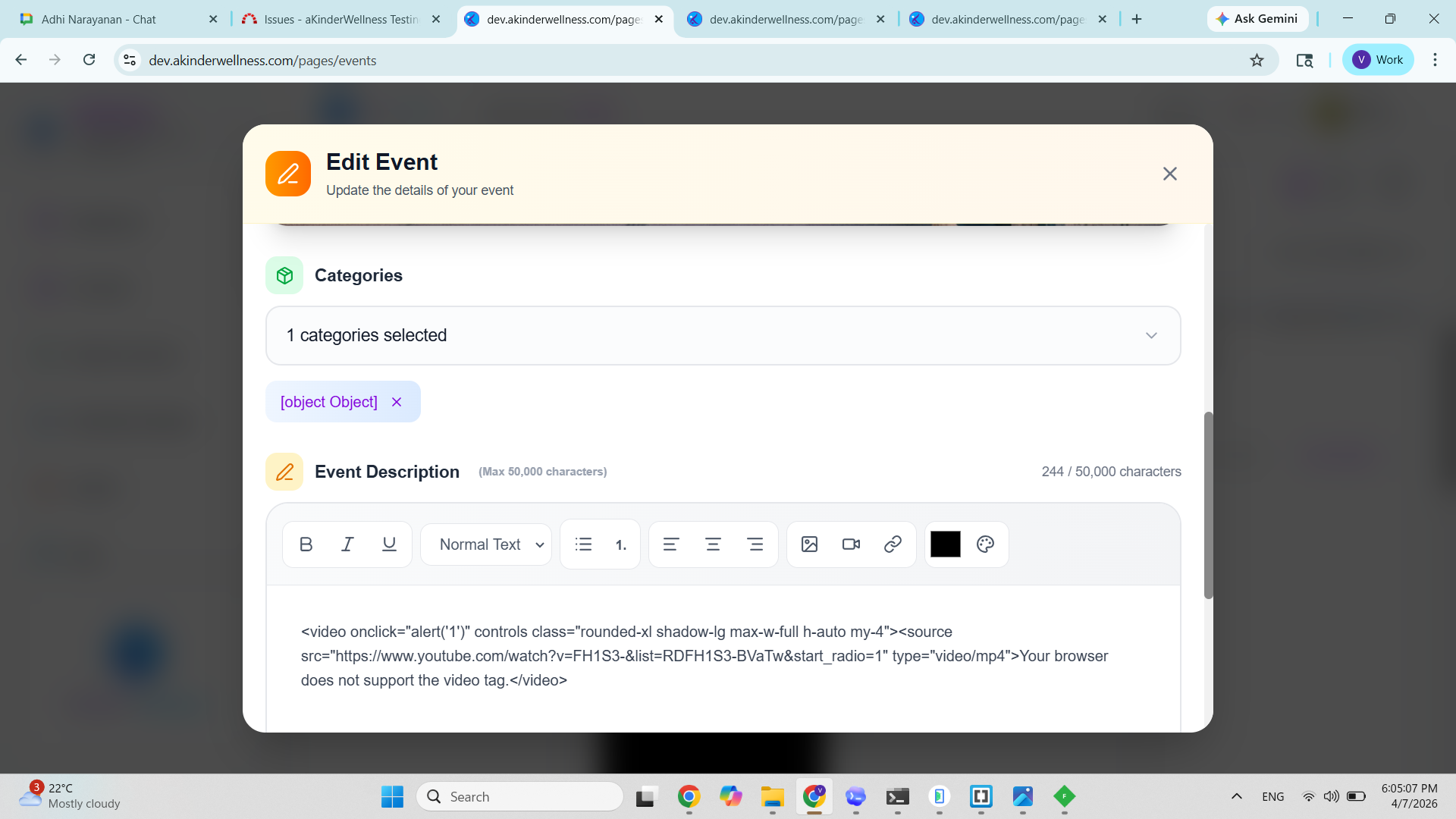
While editing an event, the Categories selection UI displays incorrect data and leads to a failure on submission.
Instead of showing the selected category name, the UI displays: [object Object]
Additionally, attempting to update the event results in an error popup, indicating improper data handling during submission.
Steps To Reproduce:
- Open Events page
- Click on any existing event → Edit Event
- Observe the Categories section
- Select or keep an existing category
- Click Update Event
ACTUAL RESULT
Selected category is displayed as: [object Object] instead of readable name
UI does not properly represent selected category
On clicking update: Loader appears (“Updating…”)
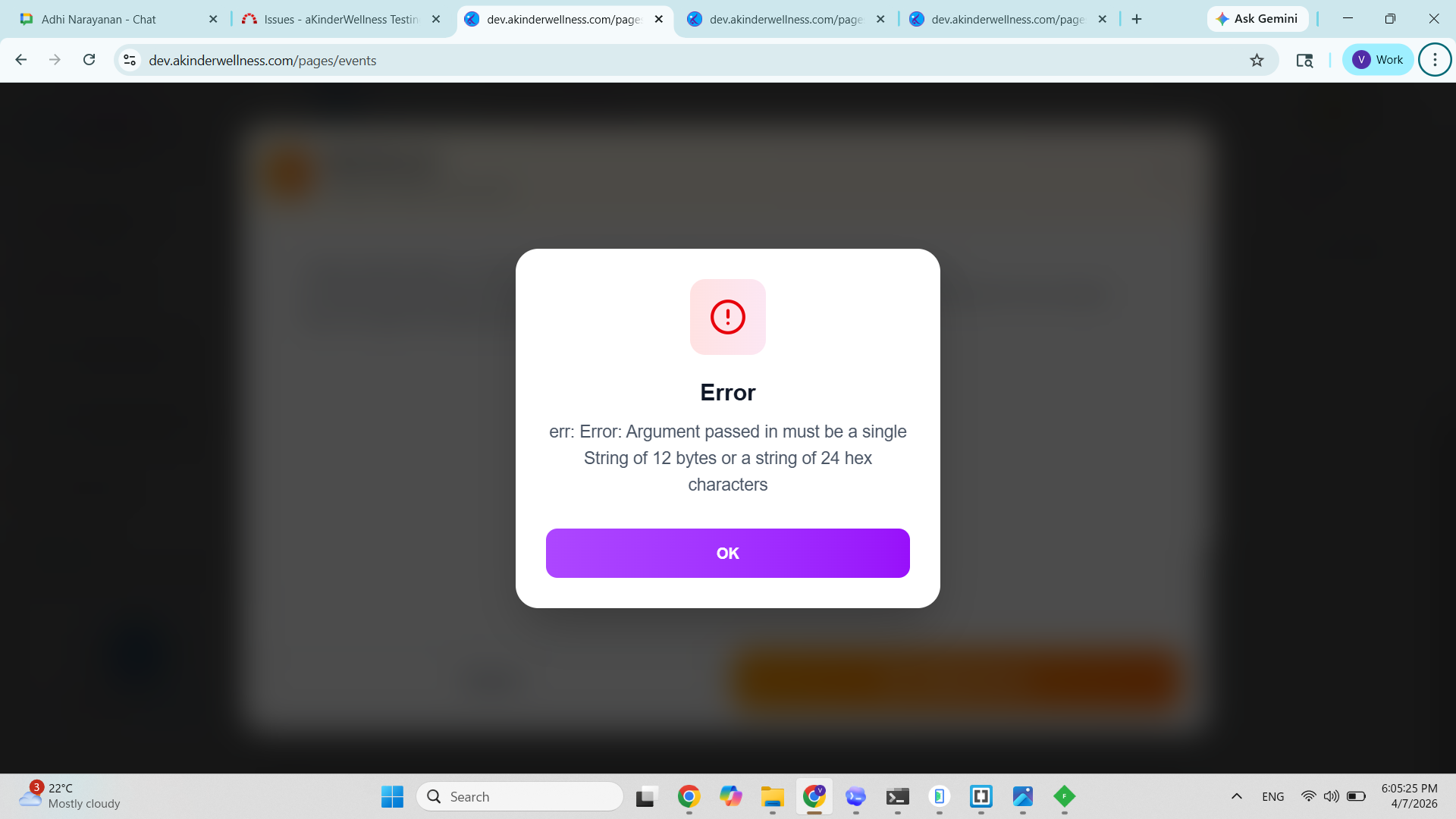
Error popup is shown: Argument passed in must be a single String of 12 bytes or a string of 24 hex characters
Expected Result
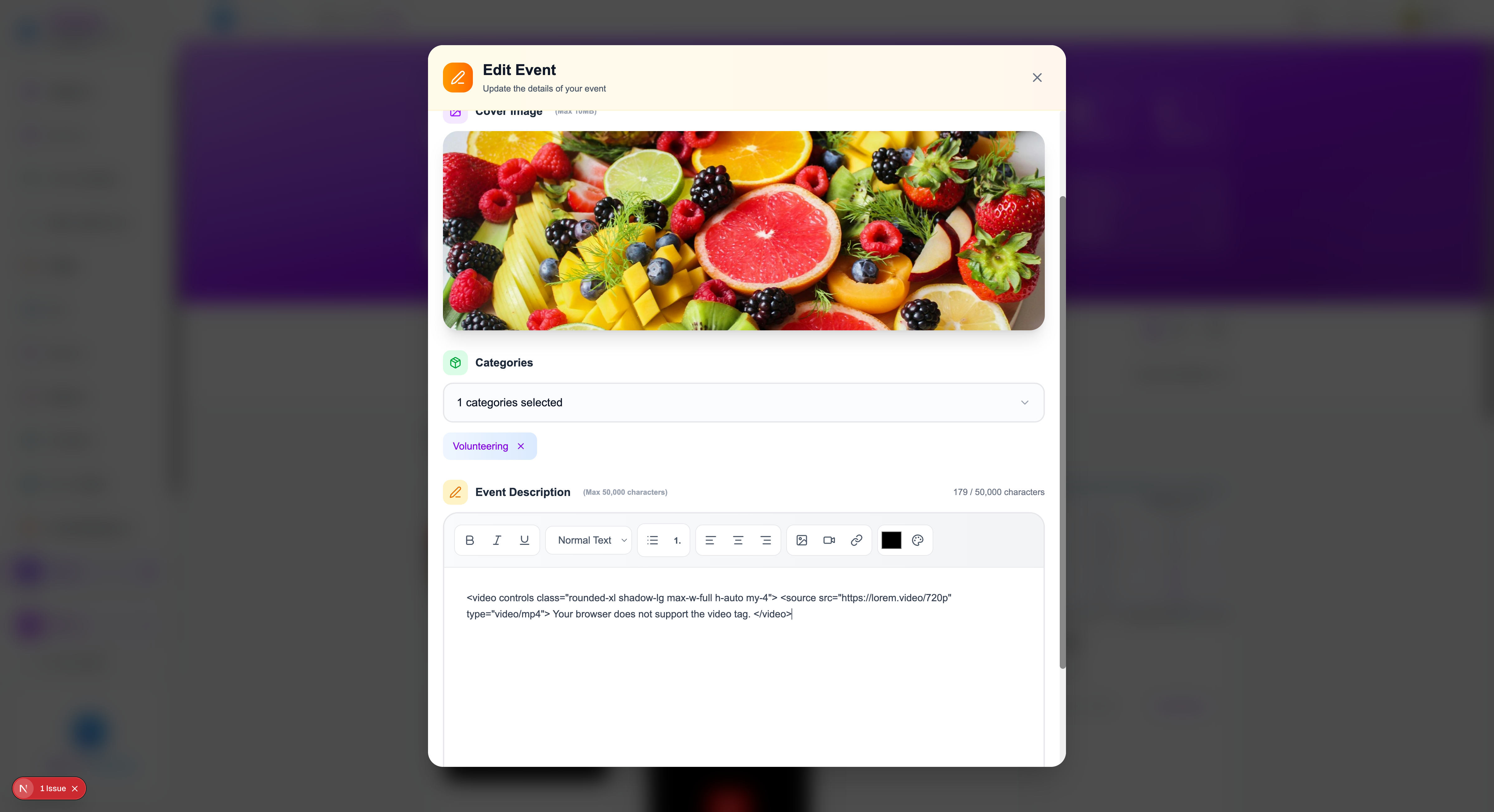
Selected category should display: Proper category name (e.g., “Volunteering”)
UI should handle category selection consistently
Update action should complete successfully without errors
Data passed from UI should be in correct format for processing
Files
Updated by Adhi Narayanan 7 months ago
- File localhost-3000-pages-events.png localhost-3000-pages-events.png added
- Status changed from New to Resolved
- % Done changed from 0 to 100