Actions
Bug #74
closedVideo Source Accepts Invalid URL in Event Creation
Status:
Closed
Priority:
Normal
Assignee:
-
Description
While adding a video in the Event Description editor, the system does not enforce valid URL formats. Invalid strings are directly inserted into the tag.
Steps to Reproduce
- Go to Events → Create New Event
- Open Event Description editor
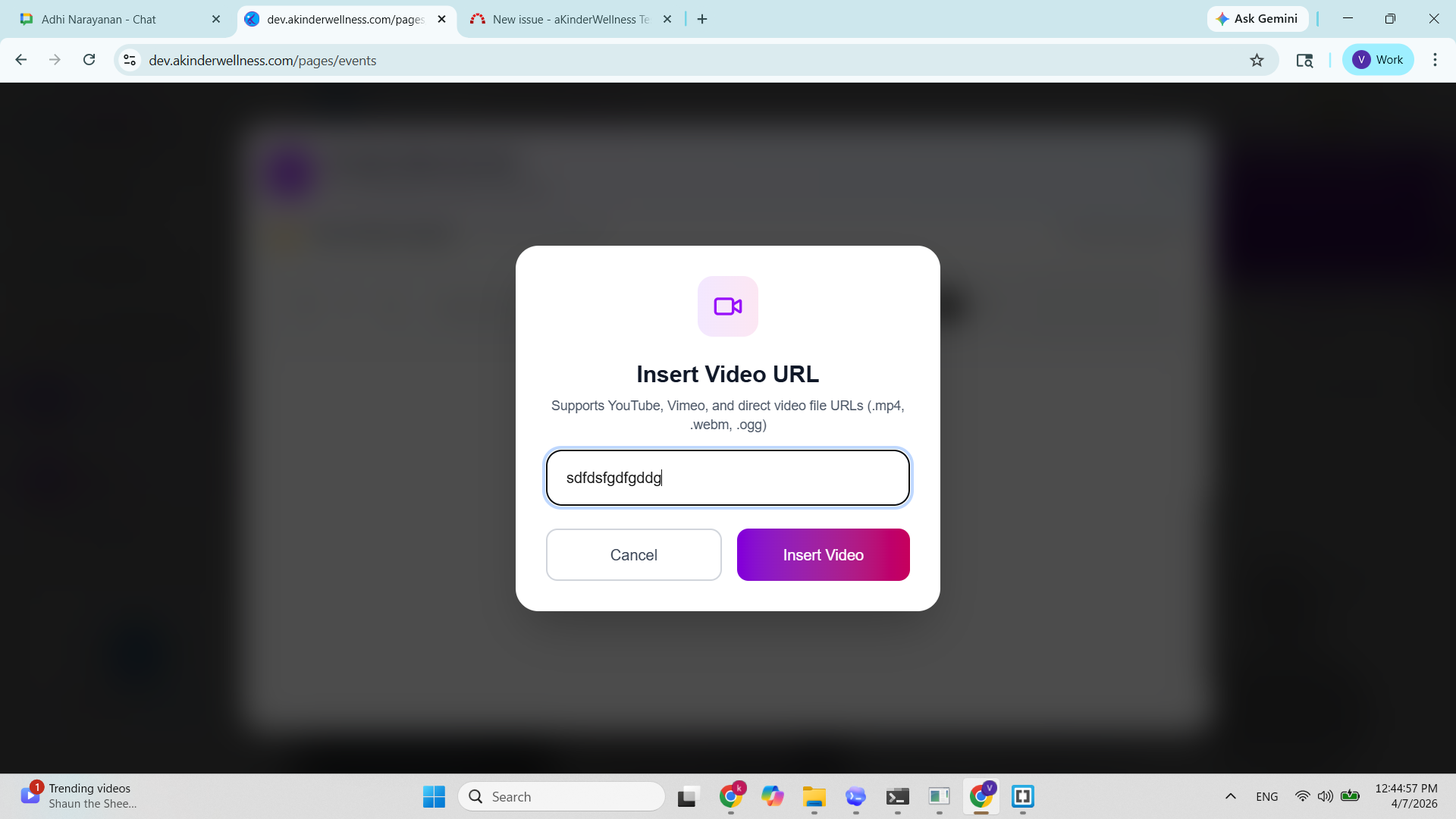
- Click Insert Video
- Enter invalid input (e.g., skdjflksjdflksdj)
- Click Insert Video
Actual Result
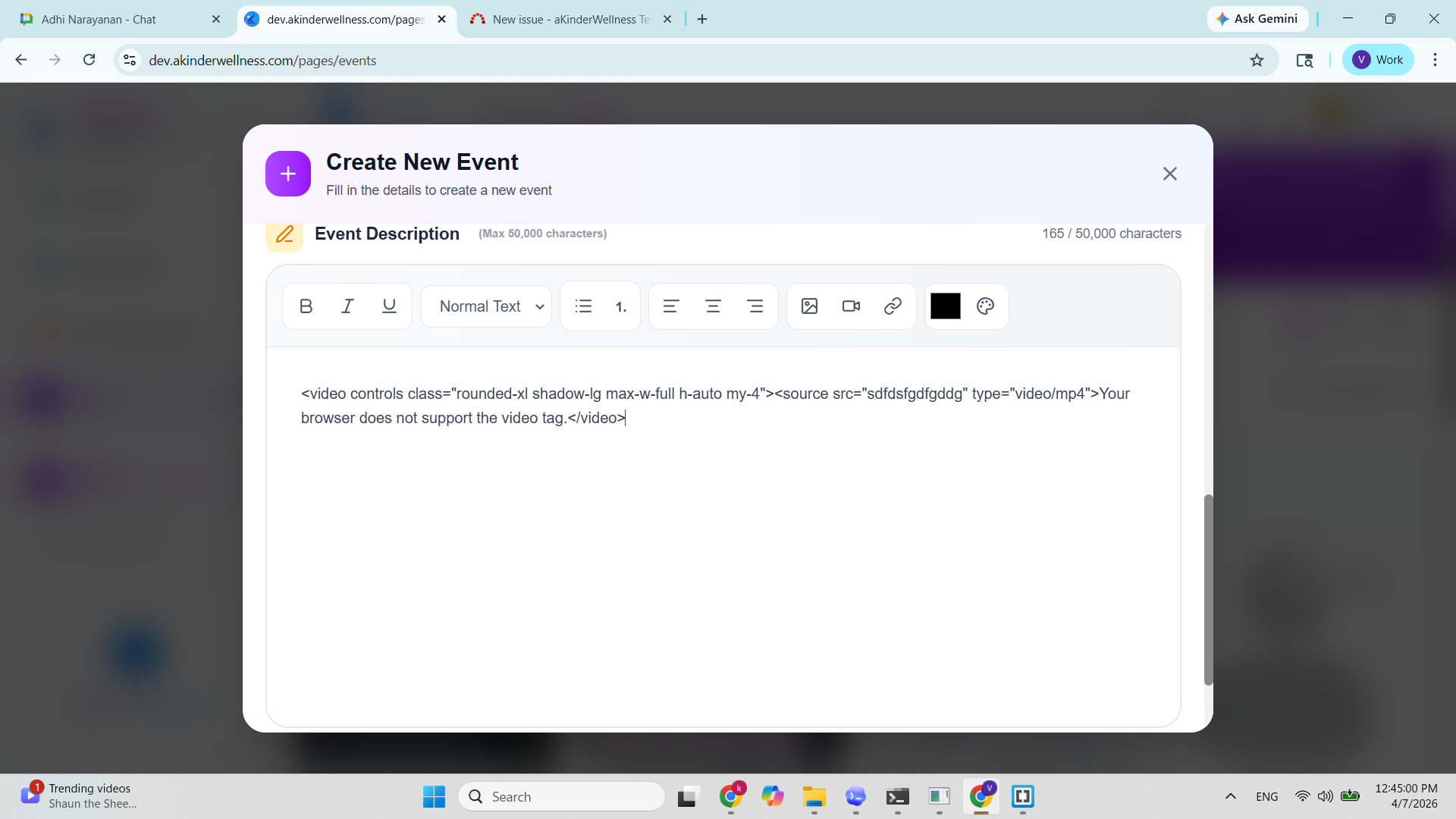
The invalid string is inserted as:
<video controls class="rounded-xl shadow-lg max-w-full h-auto my-4">
<source src="sdfdsfgdfgddg" type="video/mp4">Your browser does not support the video tag.</video>
Video does not load
Expected Result
Input should be validated before insertion
Invalid input should show error: “Please enter a valid video URL”
Only valid formats allowed: `Valid video extensions(.mp4, .mkv) or YouTube / Vimeo links.
Files
| BUG AKW0029.png (344 KB) BUG AKW0029.png | |||
| BUG AKW00029.png (261 KB) BUG AKW00029.png |
Updated by Adhi Narayanan 7 months ago
- Status changed from New to Resolved
- % Done changed from 0 to 100
Updated by Adhi Narayanan 7 months ago
- Status changed from In Progress to Resolved
Actions