Actions
Bug #53
closedNo Error Message Shown for Duplicate Role Name (Web)
Status:
Closed
Priority:
Normal
Assignee:
-
Description
When a role name that already exists is entered, the system does not show any validation message or feedback. Clicking Save results in no visible action, leaving the user unaware of what went wrong.
Environment
URL: https://dev.akinderwellness.com/pages/organizationRoles
Platform: Web (Chrome – Windows)
Steps to Reproduce
- Go to Masters -> Organizations -> Organization Roles page
- Click on Add New Role
- Enter a role name that already exists
- Click Save
Actual Result
- No error message is displayed
- No action occurs after clicking Save
- User receives no feedback
Expected Result
System should show a validation message like: Role name already exists
User should be clearly informed why the action failed
Files
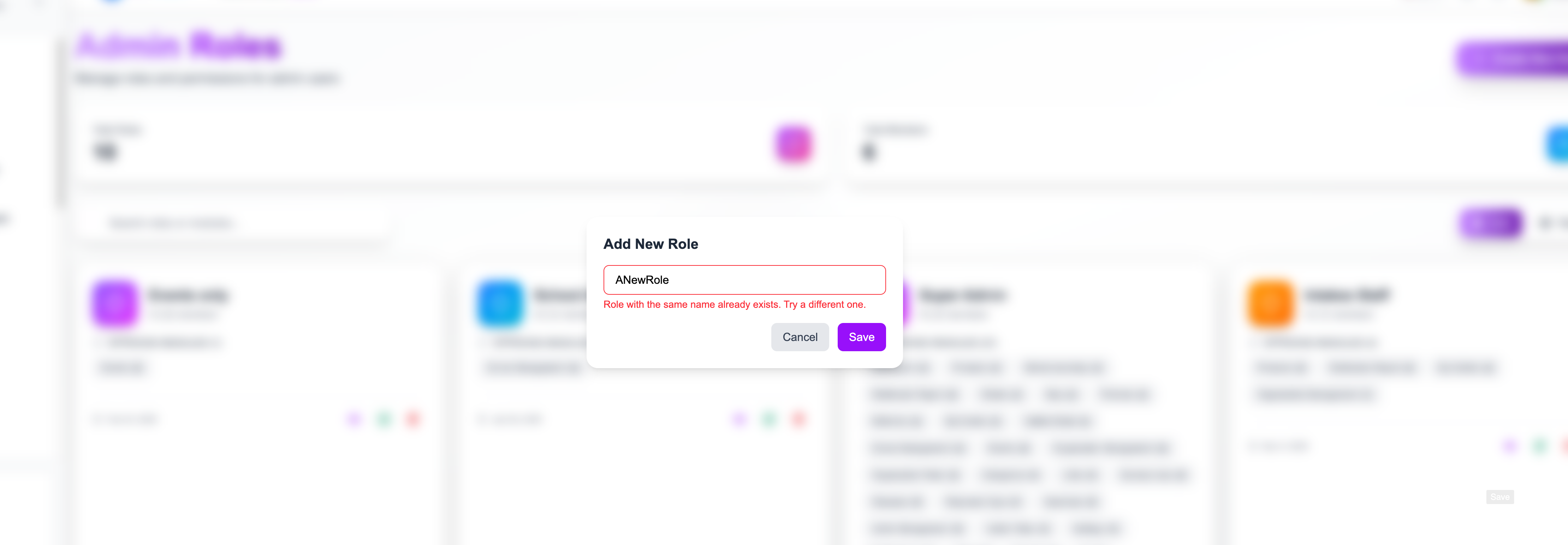
Updated by Adhi Narayanan 7 months ago
- File localhost-3000-pages-adminRoles.png localhost-3000-pages-adminRoles.png added
- Status changed from New to Resolved
- % Done changed from 0 to 100
Actions