Actions
Bug #59
closedUI Break Due to Unbounded Text Input in Admin Management Title (Web)
Status:
Closed
Priority:
Normal
Assignee:
-
Description
The Admin Management page does not enforce any limit or formatting on user name fields. When an extremely long string is entered as a name, it overflows the UI container and breaks the layout.
Environment
URL: https://dev.akinderwellness.com/pages/adminManagement
Platform: Web (Chrome)
Role: Super Admin
Steps to Reproduce
- Go to Admin Management
- Add or edit an admin user
- Enter a very long name (e.g., repeated text like I am a long text... many times)
- Save the changes
- Observe the UI rendering
Expected Result
Name field should:
- Have a maximum character limit (e.g., 50–100 chars)
- Be truncated with ellipsis (...) if too long
- Maintain proper layout
Actual Result
Long text overflows the container
UI becomes unreadable and misaligned
Other elements (email, role, buttons) shift or overlap
Files
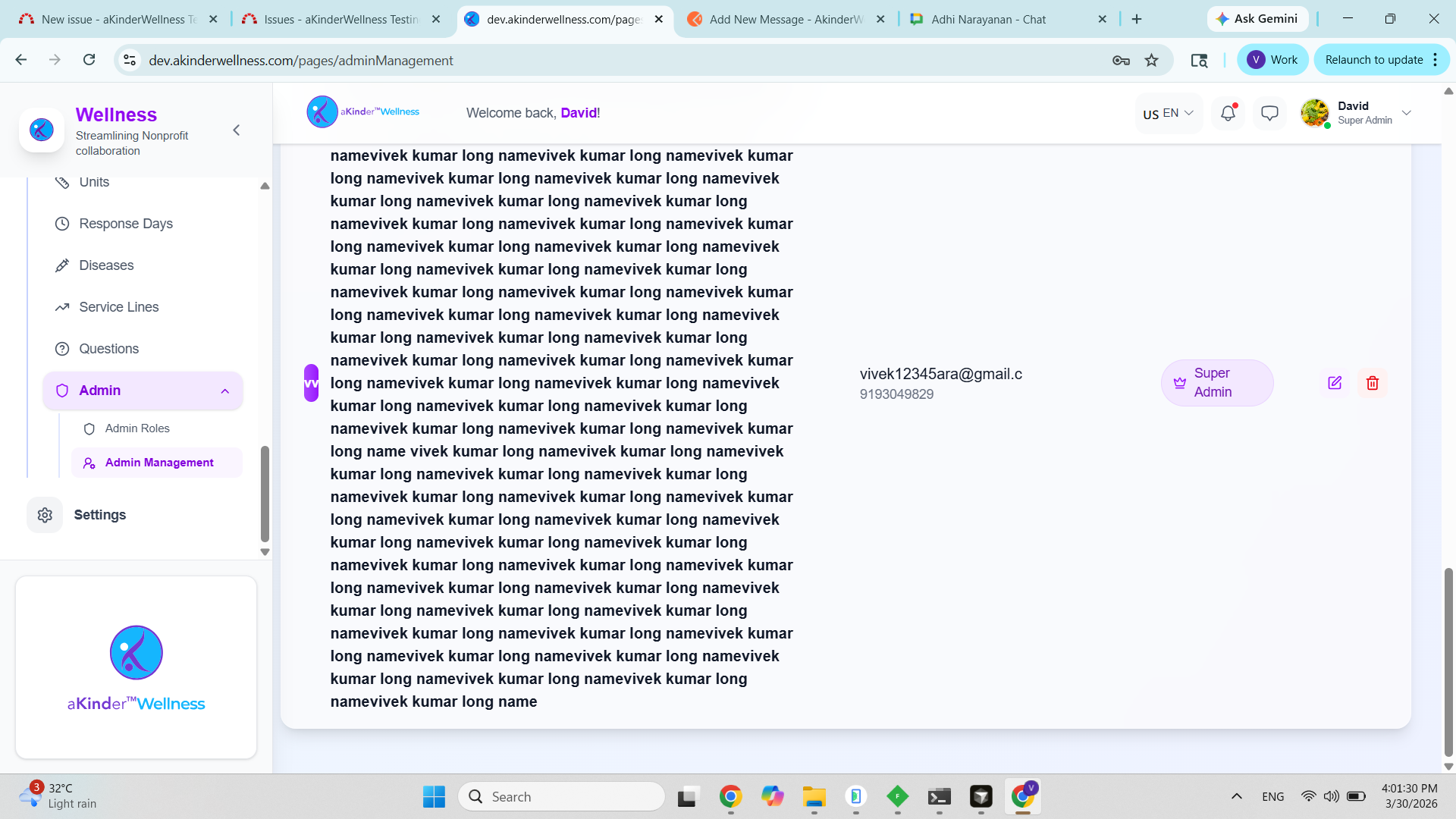
Updated by Vivek Kumar 7 months ago
The following fields don't have any validation for maximum length in the Admin Management -> Add New Admin page
- First Name
- Last Name
- Password
Updated by Adhi Narayanan 7 months ago
- Status changed from New to Resolved
- % Done changed from 0 to 100
Actions